Creating a workspace at home that is both clutter-free and productive can significantly enhance your focus and work efficiency. Whether you’re working remotely full-time or occasionally catching up on tasks, an organized area tailored to your needs helps reduce distractions and stress. Here are some helpful tips to design and maintain a home workspace that supports your productivity and keeps clutter at bay.
Choose the Right Location
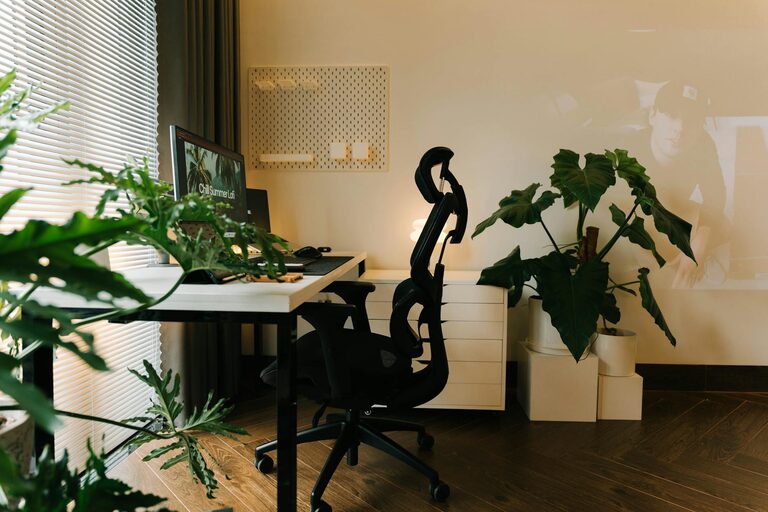
Selecting the right spot in your home for your workspace is the first step. Ideally, choose a quiet area with minimal foot traffic to avoid distractions. Natural light can boost your mood and energy, so positioning your desk near a window is a plus. Consider the available space and how much room you’ll need for your computer, documents, and any other tools you use regularly.
Invest in Functional Furniture
The foundation of a productive workspace is comfortable and practical furniture. Here are a few things to consider:
– Desk size: Pick a desk large enough to hold your essential items without overcrowding.
– Ergonomic chair: A chair that supports your back and encourages good posture reduces strain during long work hours.
– Storage options: Desks with built-in drawers or shelves help keep supplies organized and out of sight.
Declutter Regularly
Clutter can build up quickly if left unchecked. Make it a habit to tidy your workspace daily or weekly. Try these simple decluttering practices:
– Clear off your desk at the end of each day to create a fresh start.
– Use trays or containers to keep similar items together.
– Get rid of unnecessary papers, old notes, or broken equipment promptly.
Organize Supplies Strategically
Having a place for everything allows you to find what you need quickly and keeps your desk surface clear. Organize supplies based on how often you use them:
– Daily use: Keep pens, notebooks, and frequently used items within arm’s reach.
– Occasional use: Store less frequently needed supplies in drawers or on shelves.
– Rare use: Archive or store items you seldom need elsewhere to maximize desk space.
Using drawer dividers, bins, or desktop organizers can make a big difference in maintaining order.
Manage Cables and Electronics Neatly
Tech equipment is essential but can also create visual clutter. To keep cables under control:
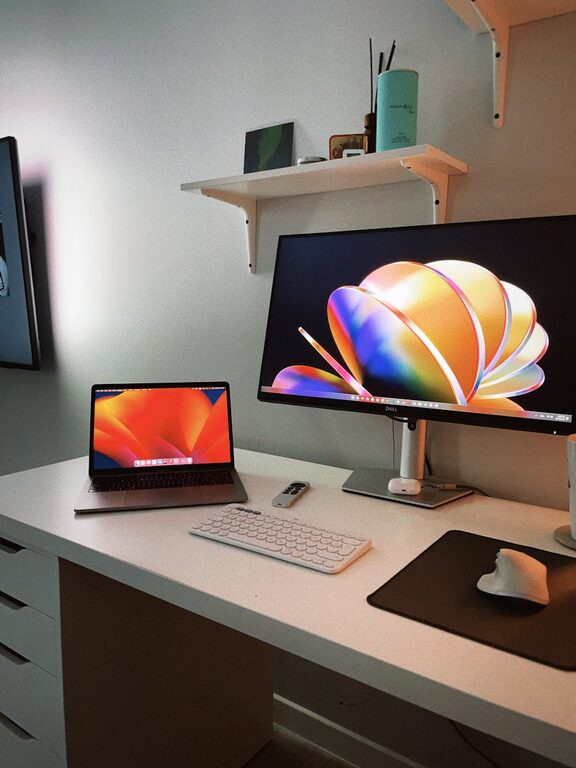
– Use cable clips or sleeves to bundle cords neatly.
– Label cords to identify devices easily.
– Consider wireless devices to reduce cable clutter.
– Position chargers and power strips in accessible but hidden spots to avoid a tangled mess.
Create a Personalized, Distraction-Free Environment
Your workspace should inspire focus and comfort. Here are some ways to personalize your area without overdoing it:
– Add a plant or two for a refreshing touch.
– Use calming colors or artwork that motivate you.
– Minimize distractions by removing unrelated gadgets or clutter.
– Use noise-cancelling headphones if background noise is an issue.
Incorporate Effective Lighting
Good lighting reduces eye strain and enhances productivity. Combine natural light with task lighting for optimal results:
– Position your desk near windows when possible.
– Use adjustable desk lamps for focused lighting on documents or keyboard.
– Avoid glare by adjusting screen brightness and positioning.
Establish Clear Boundaries and Routine
To maintain your workspace’s productivity, set boundaries and stick to a routine:
– Define your work hours and take breaks to avoid burnout.
– Communicate your schedule to housemates or family to minimize interruptions.
– Keep snacks and water nearby but avoid eating at your desk to maintain focus and cleanliness.
Utilize Digital Tools to Reduce Paper Clutter
Going paperless can drastically reduce clutter. Use apps and tools like:
– Digital calendars and task lists.
– Scanning important documents and storing them in cloud services.
– Setting reminders and notes digitally.
Backing up files regularly also prevents the need to keep piles of physical documents.
Regularly Reassess Your Setup
What works today might not remain ideal as your tasks or preferences change. Take time monthly or quarterly to:
– Evaluate what’s working and what isn’t.
– Remove unused supplies or upgrade tools that slow you down.
– Rearrange furniture or electronics to better suit your needs.
This ongoing process keeps your workspace efficient and tailored to your daily demands.
—
By adopting these practical tips, you can create a well-organized, clutter-free workspace at home that supports your productivity and well-being. Remember, the key is consistency in maintaining order and making adjustments as needed. A pleasant and efficient environment is an investment in your work success and overall satisfaction.